TARGETED.ARMY / Your Words / Your Files / Your Record
War Room ToolFree Member Access

Your Story Deserves More Than A Folder Full Of Fragments

My Story gives you one private place to speak, type, upload, and keep building. Nano helps organize what you share into a record you can review through history, timeline, files, map, and exports—without replacing your original words.

Starting this protected tool creates your free member access and agrees to the Terms and Privacy Notice. No separate registration form.

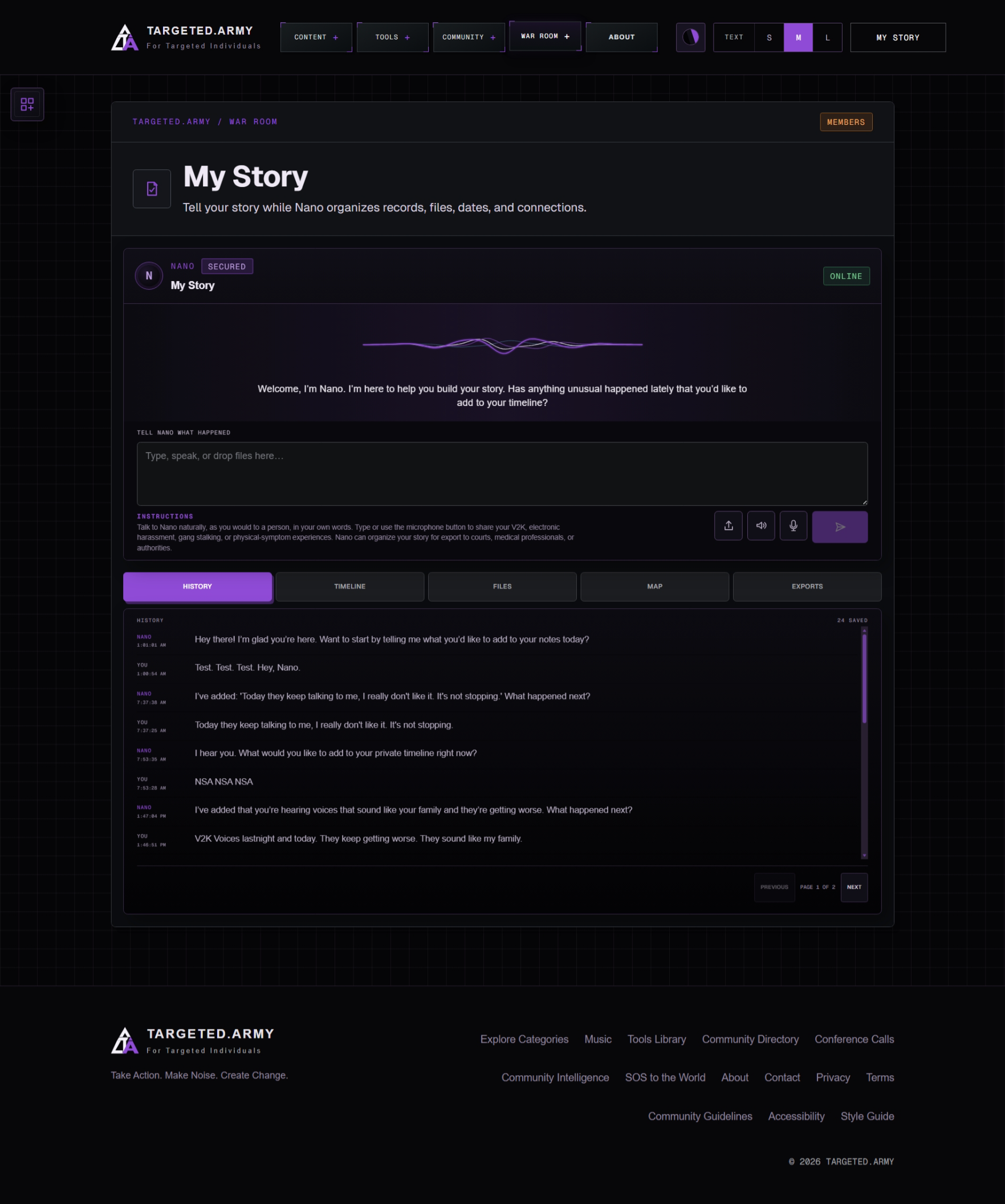
My Story History view showing a private conversation with NanoFive Connected ViewsPrivate Record
The Problem

Important Moments Become Harder To See When Everything Is Separate

A note on one device, a recording on another, an image without a date, and a memory you have not written down can all belong to the same story. When those pieces stay scattered, sequence, context, and connections disappear with them.
The Solution

Start Wherever You Are. Build The Record From There.

Tell Nano what happened in your own words or add the files you already have. My Story helps shape each moment into a continuing private record while keeping history, dates, original files, relationships, and exports connected.

From Memory To A Usable Record

See Scattered Material Become Connected

One moment can hold words, a date, a recording, an image, and relationships to everything that came before or after. My Story keeps those parts together so the record becomes easier to understand and continue.

History View
My Story History view showing the continuing private conversation with Nano
History
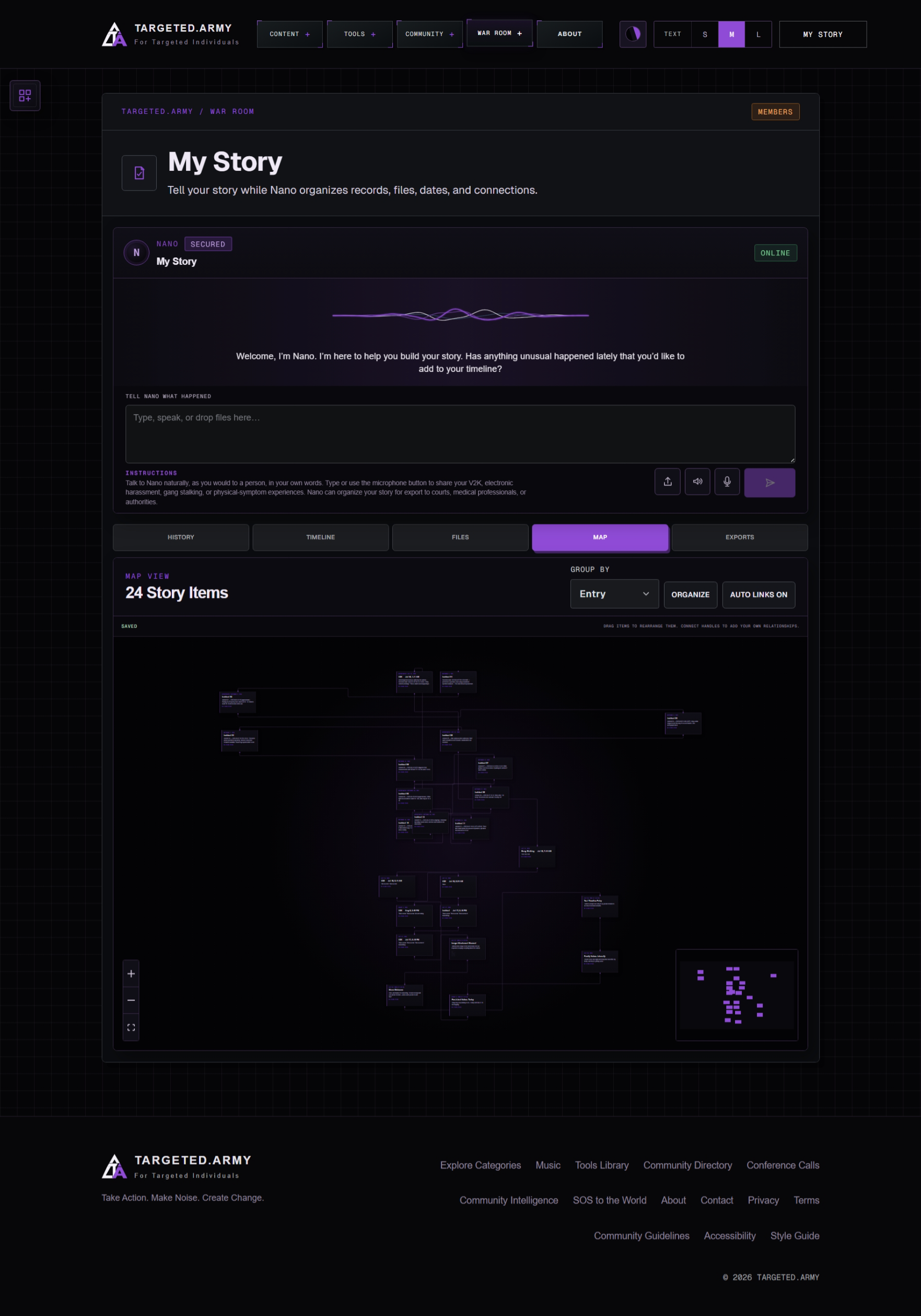
Map View
My Story Map view showing relationships across connected story items
Map
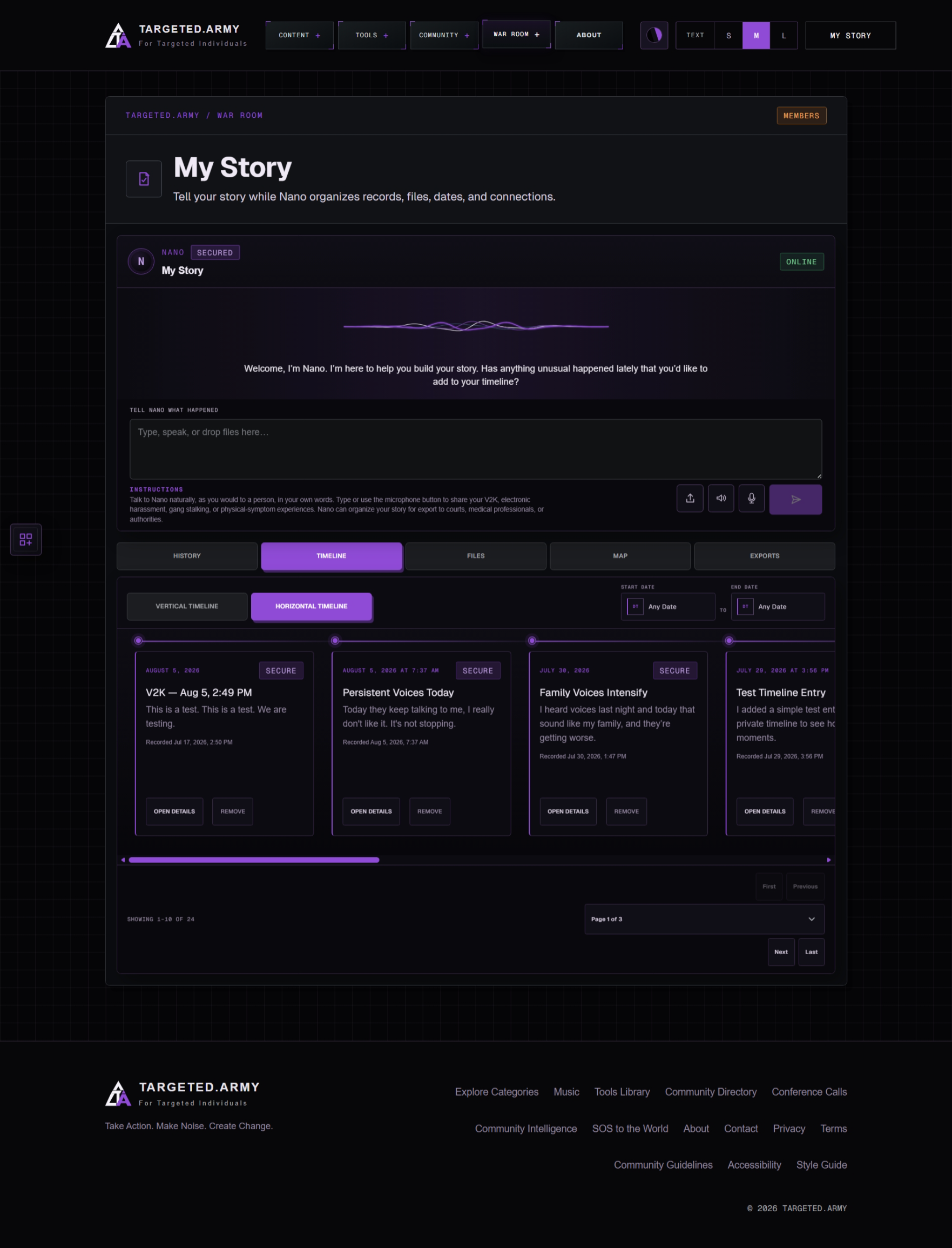
Timeline View
My Story Timeline view showing private story entries in chronological cards
Timeline
One Record / Five Ways To Understand It

History. Timeline. Files. Map. Exports.

These are not separate projects. Each view opens the same private material from a different angle, so the work stays connected as the story grows.

  1. 01

    History

    Return to the continuing conversation with Nano and the moments already added.

  2. 02

    Timeline

    Read the record in sequence while keeping uncertain or missing dates visible.

  3. 03

    Files

    Find original images, recordings, video, documents, and notes connected to the story.

  4. 04

    Map

    See relationships among events, files, people, places, and recurring details.

  5. 05

    Exports

    Prepare a portable organized copy when you decide the record needs to move.

Nano helps organize. You remain in control. The record can preserve what you originally shared while suggestions, dates, connections, and later context stay reviewable.

Built Around Your Record

The Story Stays Yours. The Structure Gets Stronger.

Nano helps with organization, not ownership. Your account remains the source, uncertain dates can stay uncertain, and every view leads back to the same member-controlled material.

01

Your Words Stay At The Center

Speak or write naturally while Nano helps identify moments, dates, and useful follow-up questions without rewriting the source account.

02

Talk, Type, Or Add Files

Use the method that fits the moment: conversation, speech-to-text, images, audio, video, documents, or notes.

03

History That Continues

Return to earlier conversations, keep recent work visible, and continue instead of rebuilding the context every time.

04

A Timeline With Flexible Dates

Place events in sequence when dates are known while keeping undated or uncertain material in the record.

05

Files Connected To Moments

Keep original material reusable and link it to the parts of the story it supports instead of losing it in a separate folder.

06

Map And Portable Exports

See relationships across the record, then prepare an organized copy of the story and its connected files when you choose.

Begin Without Preparing Everything

One Moment Is Enough To Start

A complete chronology is not required on day one. Begin with the clearest moment, add context as it returns, and let the private record become more useful over time.

  1. 1

    Begin With Any Moment

    Tell Nano what happened by typing or speaking, even if the exact date or complete sequence is not yet clear.

  2. 2

    Add What Belongs With It

    Attach files, dates, details, and relationships when they are available, while preserving the original account.

  3. 3

    Review And Carry It Forward

    Use history, timeline, files, map, and exports to understand the record and decide what to do with it next.

One Tool Is The Beginning

The Complete War Room Keeps The Mission Connected

The War Room brings personal records, shared research, public-record requests, outreach, visual investigation, member messages, writing, and account controls into one system built specifically around this mission.

  • Missions
  • My Story
  • Congress
  • FOIA Generator
  • Email Outreach
  • Maps
  • Messages
  • Community Intelligence
  • War Room Writer
  • Settings
The Next Move Is Yours

Do Not Wait For Every Detail Before You Begin

Start with the part you can tell today. My Story gives that moment a protected place, connects what belongs with it, and keeps the record ready for whatever you remember next.

Explore Every Tool