TARGETED.ARMY / CHOOSE A CONGRESSMEMBER / PREPARE THE EMAIL / CONTACT THE OFFICE

WAR ROOM TOOLFREE MEMBER ACCESS

Put The Record In Front Of The People Who Can Demand Answers

Begin with the 15 Congressmembers who took part in the MKUltra hearing, or search the complete current congressional directory. Open a verified profile, review the office, and prepare one editable message for every staff email stored for that member.

Starting this protected tool creates your free member access and agrees to the Terms and Privacy Notice. No separate registration form.

THE PROBLEM

Congressional Contact Information Is Scattered Across Hundreds Of Offices

Finding the right member, confirming the office, gathering staff addresses, and preparing a message can turn a direct act of civic participation into hours of disconnected research and copying.
THE SOLUTION

Choose The Member. Prepare The Complete Email.

The Congress tool brings verified member profiles, the MKUltra hearing panel, full-directory search, staff contact data, an editable message template, and email-app or Gmail preparation into one protected workflow.

INSIDE THE WAR ROOM

See Where The Work Happens

A focused look at the protected workspace where members turn intention into organized, repeatable action.

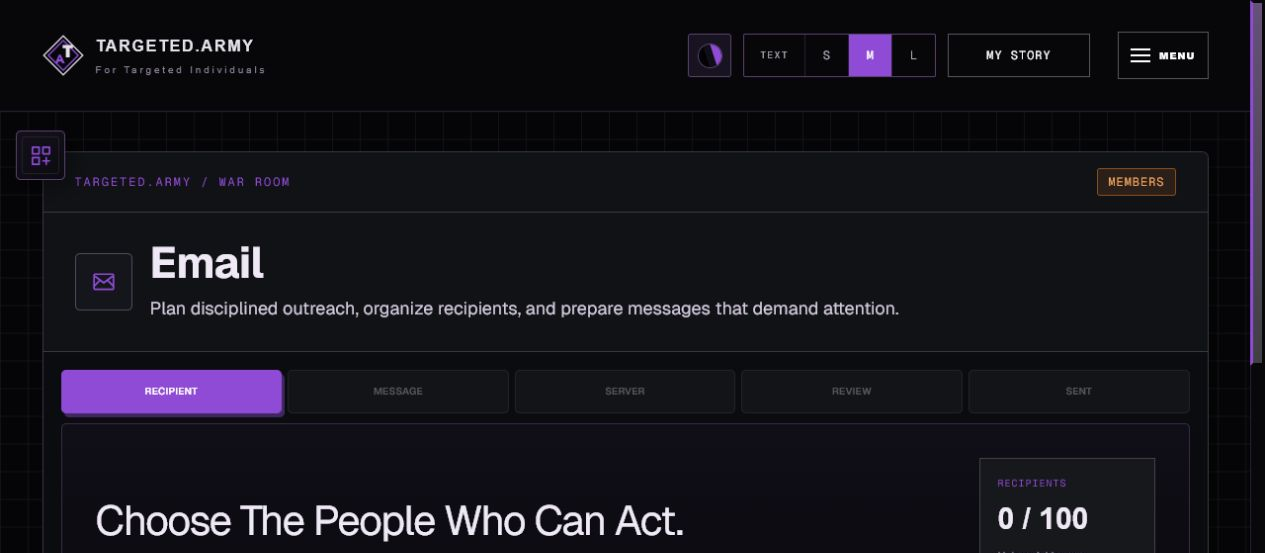
TARGETED.ARMY / WAR ROOMProtected Workspace
Protected email preparation workspace for congressional outreach

WHAT IT GIVES YOU

Built To Move The Work Forward

Every part of the workflow is organized around documentation, research, outreach, accountability, and lawful collective action—not generic productivity for its own sake.

01

MKUltra Hearing Panel First

Begin with the 15 Congressmembers who participated in the 2026 hearing and keep that accountability work visible.

02

Complete Congress Search

Search all current members and filter the directory by state, committee, or caucus.

03

Verified Member Profiles

Review the member's official portrait, biography, office, phone number, committees, caucuses, and official links.

04

All Stored Staff Contacts

Prepare the message for every unique staff name and email address currently stored for the selected member.

05

Editable Email Template

Change the From address, subject, and complete body before opening an email application.

06

Email App, Gmail, And Copy Fallbacks

Open a prepared draft in your own provider or copy individual fields when an automatic link is not supported.

FROM INTENTION TO ACTION

A Clear Way To Begin

You do not need to master the entire platform first. Join, open the tool, and complete the first useful action in front of you.

  1. 1

    Choose A Congressmember

    Start with the MKUltra hearing panel or search the complete congressional directory.

  2. 2

    Review The Profile

    Confirm the member, office, assignments, and official contact information.

  3. 3

    Prepare And Open The Email

    Edit every field, then open your email app or Gmail and make the final sending decision yourself.

ONE TOOL IS THE BEGINNING

The Complete War Room Keeps The Mission Connected

The War Room brings personal records, shared research, public-record requests, outreach, visual investigation, member messages, writing, and account controls into one system built specifically around this mission.

  • Missions
  • My Story
  • Congress
  • FOIA Generator
  • Email Outreach
  • Maps
  • Messages
  • Community Intelligence
  • War Room Writer
  • Settings

THE NEXT MOVE IS YOURS

Congress Cannot Respond To A Message It Never Receives

Choose the office that needs to hear from you, prepare the message carefully, and place the record in front of the people with oversight power.

Explore Every Tool